Easy one-command deployment of a complete AI chat interface using OpenWebUI, Ollama as LLM backend, and Nginx as reverse proxy, with Docker. Simple to deploy and uninstall, without the need to configure each service individually.

This script provides an automated deployment stack including:
- OpenWebUI (web interface)
- Ollama (LLM backend)
- Nginx (reverse proxy with optional TLS)
- Docker Compose orchestration
- Optional NVIDIA GPU support
This project enables fast deployment of the full stack for testing purposes and evaluation. It can also be used to set up a personal AI server at home within your local network, whether on bare metal or inside a virtual machine.
Warning
This stack is not intended for production use and must not be exposed directly to the public internet. It is designed to run strictly within a local environment.
If you need remote access to OpenWebUI, configure a secure VPN solution such as WireGuard instead of exposing the service publicly.
- Debian 12+ or Ubuntu 22.04+
- Root or sudo access
- Docker installed via apt (not snap)
- 4 CPU cores recommended
- 20GB+ free disk space
- 8GB RAM recommended (16GB+ for larger models)
- Optional NVIDIA GPU
Warning
Docker installed via snap is not supported (GPU and volume limitations). If installed via snap:
sudo snap remove dockergit clone https://github.com/sypher93/ollama-bundle.git
cd ollama-bundle
sudo chmod +x *.sh
sudo ./install.shThe installer will guide you through:
- Installation mode (HTTP or HTTPS)
- Server configuration
- SSL certificate setup (advanced mode)
- GPU detection
- Ollama API exposure
- AI model selection
- Port 80 only
- No SSL
- Suitable for testing or internal usage
- TLS 1.3 support
- HTTP → HTTPS redirect
- Self-signed or custom certificates
Tip
You can switch from HTTP to HTTPS anytime by rerunning:
sudo ./install.shDuring installation, the script detects your hardware and recommends compatible models.
| Model | Recommended RAM | Use Case |
|---|---|---|
| llama3.2:3b | 4GB | Lightweight usage |
| llama3.1:8b | 8GB | Balanced performance |
| mistral:7b | 8GB | General tasks |
| codellama:13b | 16GB | Code generation |
| qwen2.5:7b | 8GB | Multilingual |
| gemma2:9b | 12GB | Advanced reasoning |
Note
CPU-only systems are supported but performance will be lower. GPU acceleration is automatically configured if NVIDIA drivers are detected.
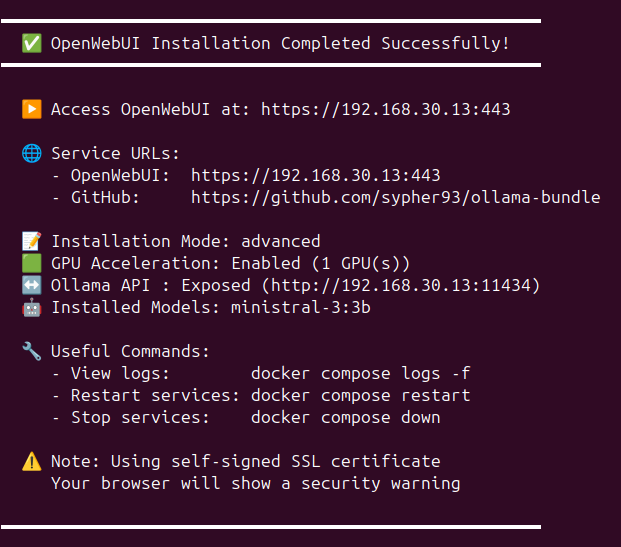
- Simple mode: http://YOUR_SERVER_IP
- Advanced mode: https://YOUR_SERVER_IP
First user to register becomes admin.
If you installed models during setup, they're ready to use immediately:
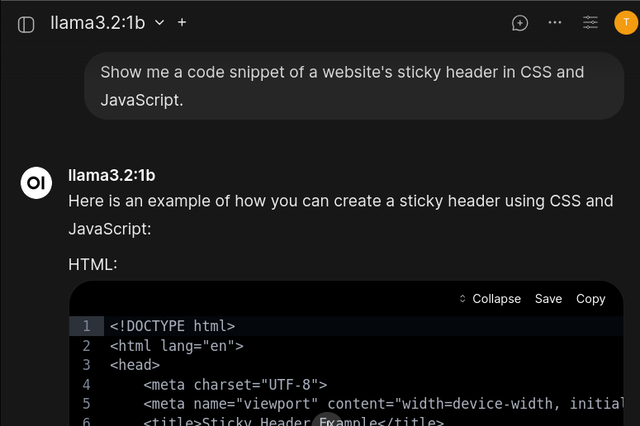
Via Web Interface: Navigate to Models tab to add or remove models.

GPU usage:
watch -n 1 nvidia-smiSystem resources:
htopPull requests and issues are welcome.
MIT License