
invite the bot to your own server: click-here







| Information | Discord | Donate |
|---|---|---|
| The Discord bot provides with live COVID-19 Visuals, Analysis, Ai Predictions, Correlations ,Interactive live maps of progression and much more ! We are constantly adding new features to the discord bot, this project is maintained by Anondoser but it has been made Open Source so that everyone can contribute ! |
 |
 |
Join our Discord bot now ! here
-
Invite the bot to your server using the following link: invite
-
The command prefix for the bot is
!cov -
Use the
!cov helpcommand for further info
-
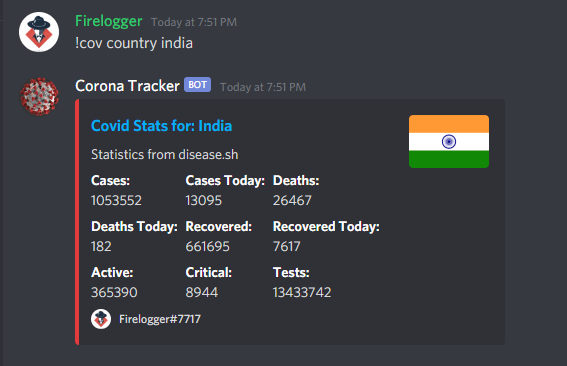
!cov country yourcountryStats of your country -
-
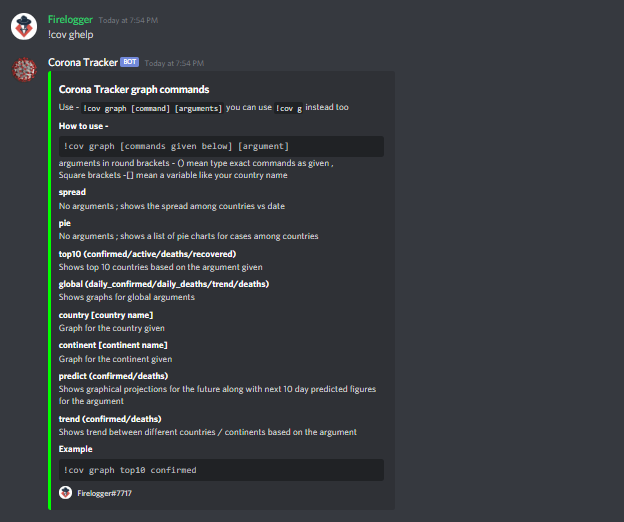
!cov ghelpHelp for graphical commands -
-
you can find dozens of other commands and features using
!cov help
- Fork and clone the git repository
- In the new folder you will find a
example.envfile, duplicate it and rename it to.envonly. - in the new
.envfile, changeDISCORD_TOKENto to your bot token - Cd to the directory and
pip install -r requirements.txt - Run
bot.py - You can now see the bot connected to the server
- Fork and clone the git repository
- Cd to the directory and
pip install -r requirements.txt - Run
python nb_og.pyand all the files should be created in the same directory
Warning: It is resource intensive and can take 15-20 minutes to complete, it generates over 100 visuals and html files
Discord: Firelogger#7717