English README translated by DeepSeek-R1. Please refer to the Chinese version for the authoritative content.
English | 简体中文
Forked from ysc3839/AudioPlaybackConnector
- Thanks to ysc3839 for creating and open-sourcing AudioPlaybackConnector, which allowed me to reference its implementation and fork the project.
- Thanks to dmagician038's fork, from which I integrated the feature to prevent multiple instances from running simultaneously.
- Thanks to kb5000's fork, from which I integrated the feature to auto-run on login.
- Thanks to hmkim123's fork, from which I integrated the feature to change tray icon color on connection and bug fixes.
- Thanks to lkk9898969's fork, from which I integrated the feature for notification on application startup.
- Thanks to MoroccoBS's fork, from which I integrated the feature
Audio routing and device managementand CI updates.
Audio routing and device management were initially integrated but later found unnecessary, as you can simply change the listening output device for the corresponding device in the Sound settings of the Control Panel. Therefore, this feature was not integrated.
In addition to the features from the aforementioned forked projects, the following functionality has been implemented:
- Optional notification on application startup
Tested only on Windows 11 23H2 (as I am using Win11). Compatibility with other versions is not guaranteed. Issues encountered on other versions can be reported via GitHub Issues, but reproduction and fixes cannot be guaranteed.

Tray Icon
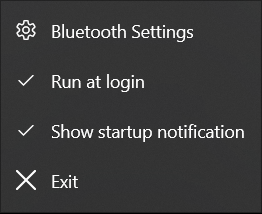
Right-Click Menu
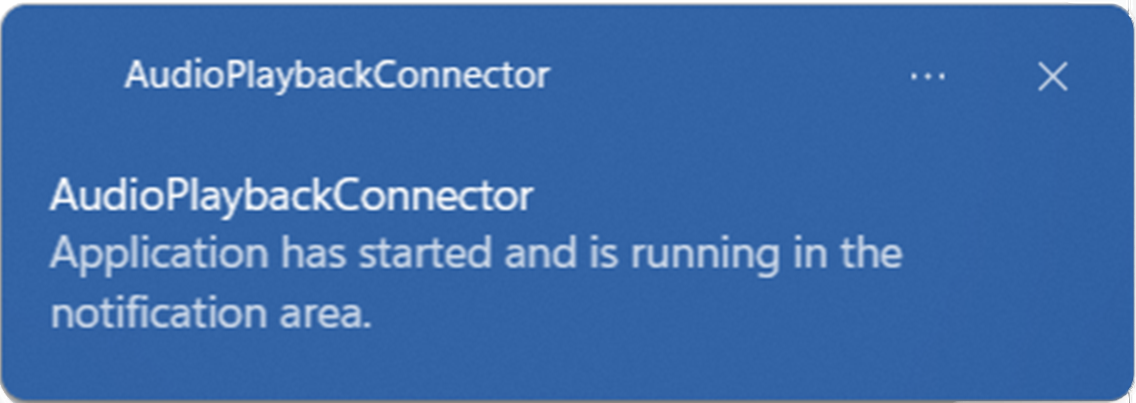
Notification
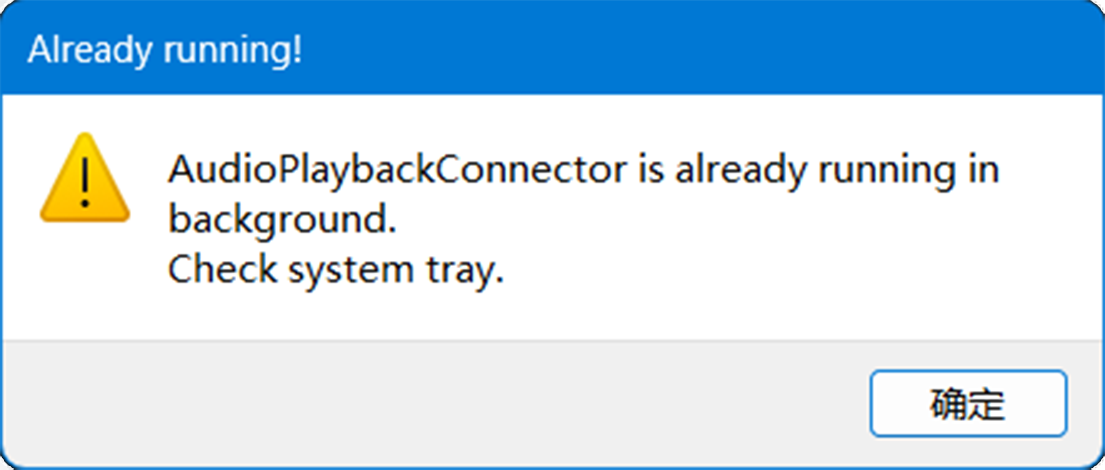
Multiple Instances Warning
When referencing MoroccoBS's fork, an issue was discovered where A2DP Sink devices could not be found on Windows 11. The solution is as follows:
- Open Registry Editor (Win + R, type
regedit, press Enter) - Navigate to
\HKEY_LOCAL_MACHINE\SOFTWARE\Microsoft\Windows\CurrentVersion\MMDevices\Audio\Capture\ - Locate the entry corresponding to your A2DP Sink device (you can browse through each subkey's
Propertiesto find the device name) - Delete the key with the device name
{9c119480-ddc2-4954-a150-5bd240d454ad},6
After this, you should be able to see the A2DP Sink device in the Sound settings of the Control Panel.
Reference: bluetooth a2dp snk device not showing up in Sound since Windows 11 - Microsoft Q&A
English | 简体中文
Bluetooth audio playback (A2DP Sink) connector for Windows 10 2004+.
Microsoft added Bluetooth A2DP Sink to Windows 10 2004. However, a third-party app is required to manage connection.
There is already an app can do this job. However it can't hide to notification area and it's not open-source.
So I write this app, provide a simple, modern and open-source alternative.



- Download and run AudioPlaybackConnector from releases.
- Add a bluetooth device in system bluetooth settings. You can right click AudioPlaybackConnector icon in notification area and select "Bluetooth Settings".
- Click AudioPlaybackConnector icon and select the device you want to connect.
- Enjoy!