An HTTP mock server for simulating APIs with minimal setup — ideal for testing difficult to reproduce backend states.


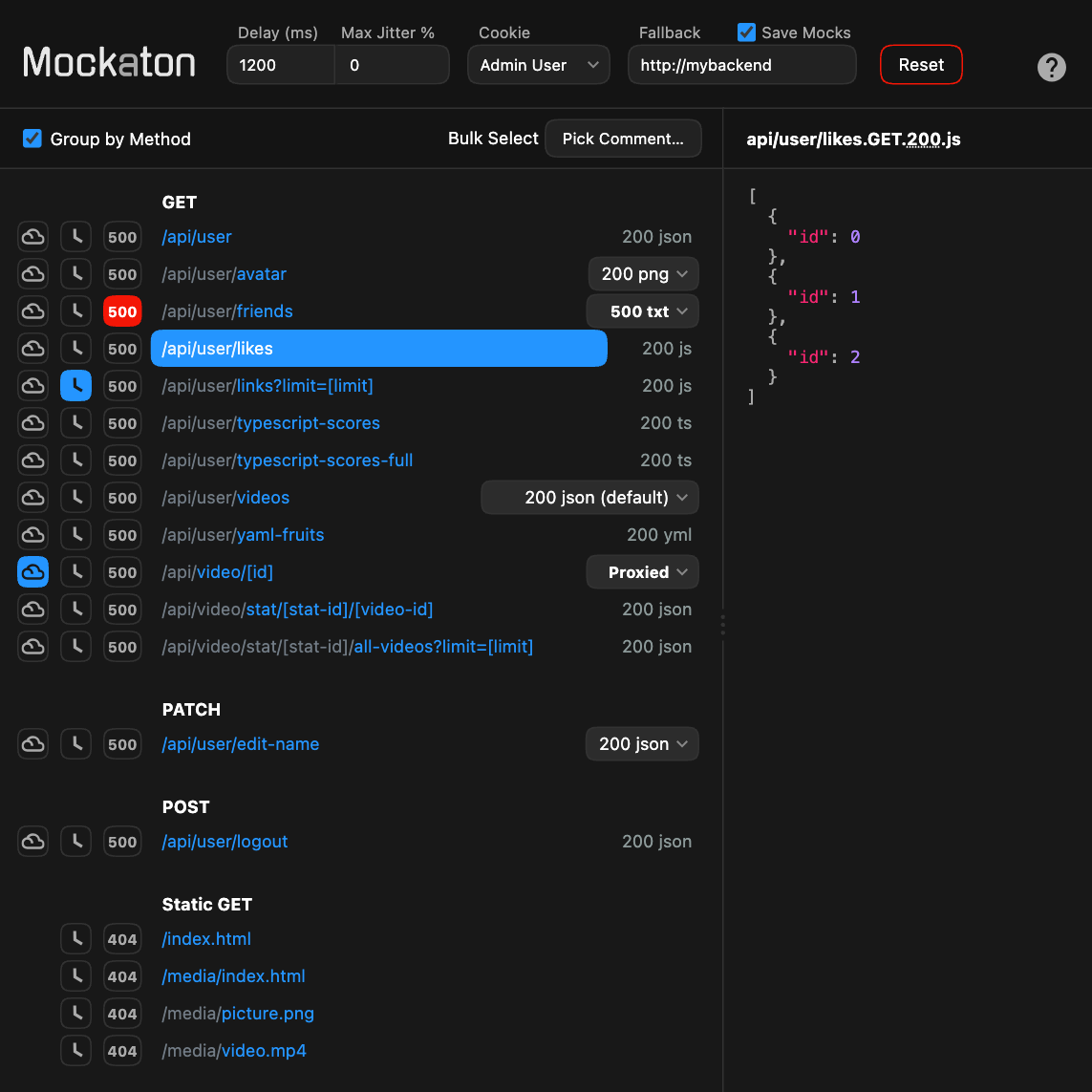
This will spin up Mockaton with the sample directories included in this repo mounted on the container. Mentioned dirs are: mockaton-mocks/ and mockaton-static-mocks/.
git clone https://github.com/ericfortis/mockaton.git --depth 1
cd mockaton
make docker
Dashboard: localhost:2020/mockaton
Test it:
curl localhost:2020/api/userWith Mockaton, you don’t need to write code for wiring up your mocks. Instead, a given directory is scanned for filenames following a convention similar to the URLs.
For example, for /api/company/123, the file could be:
my_mocks_dir/api/company/[id].GET.200.json
{
  "name": "Acme, Inc."
}
Or, you can write it in TypeScript (it will be sent as JSON).
my_mocks_dir/api/company/[id].GET.200.ts
export default {
  name: 'Acme, Inc.'
}
Similarly, you can handle logic with Functional Mocks:
my_mocks_dir/api/company/[companyId]/user/[userId].GET.200.ts
import { IncomingMessage, OutgoingMessage } from 'node:http'
import { parseSplats } from 'mockaton'

export default async function (req: IncomingMessage, response: OutgoingMessage) {
  const { companyId, userId } = parseSplats(req.url, import.meta.filename)
  const foo = await getFoo()
  return JSON.stringify({
    foo,
    companyId,
    userId,
    name: 'Acme, Inc.'
  })
}
Browser Extension for scraping responses from your backend.
Programmatic Control API.
