A lightweight menu bar app for monitoring CPU/GPU temperatures and controlling fan speeds on macOS.
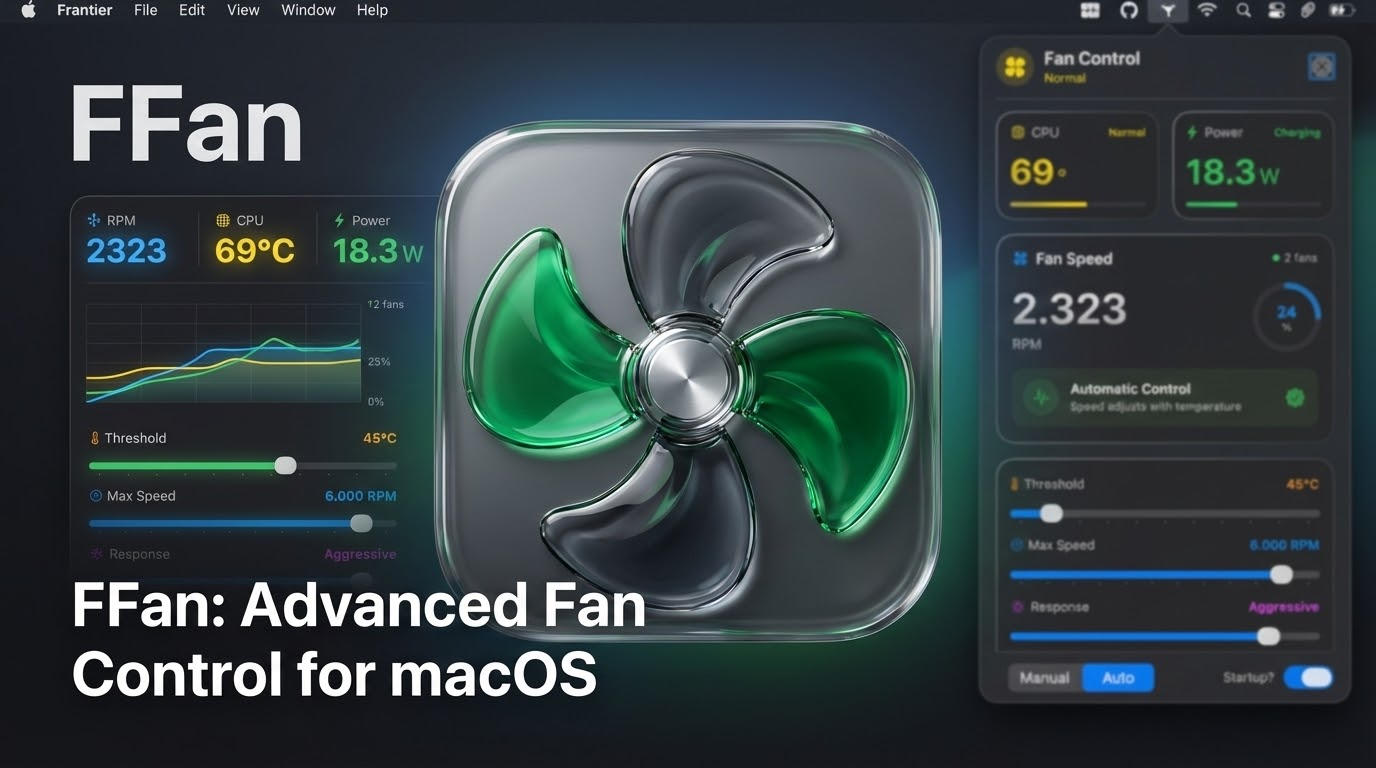
Download Latest Version (v1.3.0)
Quick Start:
- Download the DMG from the link above
- Drag ffan.app to /Applications/
- Launch the app and click "Install Helper" when prompted
- Enter your password once - that's it!
- 🌡️ Temperature Monitoring: Real-time CPU and GPU temperature readings
- 💨 Fan Speed Control: Manual fan speed adjustment or automatic temperature-based control
- 📊 Visual Feedback: Color-coded temperature indicators and speed gauges
- 🚀 Launch at Login: Automatic startup support using modern ServiceManagement API
- 🎨 Modern UI: Liquid glass design with SwiftUI
- macOS 13.0 or later (for full functionality)
- macOS 11.0 minimum (with limited features)
This app accesses the System Management Controller (SMC) to read temperatures and control fans. Due to macOS security restrictions:
- Temperature Reading: Works on most Macs without special privileges
- Fan Control: Requires root/admin privileges on modern macOS versions
On first launch, the app will prompt you to install a helper tool. This is a one-time setup:
- Click "Install Helper" in the app
- Enter your admin password once
- The helper tool enables fan control without repeated password prompts
Alternative: Automated installation via Terminal
curl -fsSL https://raw.githubusercontent.com/mohamadlounnas/ffan/main/scripts/install.sh | bashThis script downloads the latest version, installs the app, sets up the helper tool, and launches ffan automatically.
If you want to test the UI without installing the helper tool, enable Demo Mode from the app menu to see simulated data.
- fanApp.swift: Main app entry point and AppDelegate
- SystemMonitor.swift: SMC communication for temperature and fan speed readings
- FanController.swift: Fan speed control logic (manual and automatic modes)
- FanControlViewModel.swift: Main view model with Combine bindings
- PermissionsManager.swift: SMC access checking and permission dialogs
- LaunchAtLoginManager.swift: Login item registration (SMAppService for macOS 13+)
- StatusBarManager.swift: Menu bar icon and popover management
- PopoverView.swift: Main UI container
- TemperatureView.swift: Temperature display component
- FanSpeedView.swift: Fan speed display and slider
- ControlModeView.swift: Mode selection and settings
Temperature Sensors:
TC0P,TCXC,TC0E,TC0F,TC0D,TC1C-TC4C- CPU temperaturesTGDD,TG0P,TG0D,TG0E,TG0F- GPU temperaturesTp09,Tp0T,Tp01,Tp05,Tp0D,Tp0b- Apple Silicon temperatures
Fan Control:
F0Ac,F1Ac, etc. - Actual fan speedF0Mn,F0Mx- Min/Max fan speedF0Tg- Target fan speed (for manual control)F0Md- Fan mode (0=auto, 1=manual)FS!- Force bits for manual control
- Set a fixed fan speed using the slider
- Speed is maintained regardless of temperature
- Fan speed adjusts based on temperature threshold
- Below threshold: System manages fans
- Above threshold: Linear interpolation to max speed
- Critical (95°C+): Maximum fan speed
The project uses:
- Sandbox: Disabled (required for SMC access)
- Hardened Runtime: Enabled
- IOKit Framework: Linked
- ServiceManagement Framework: Linked
- Apple Silicon Macs: SMC structure may differ; some temperature keys may not work
- Fan Control: Writing to SMC requires elevated privileges
- Sandbox: Must be disabled for SMC access; not suitable for App Store
This project is provided as-is for educational purposes.
- Ensure the app has SMC access (not sandboxed)
- Try running with sudo for full access
- Enable Demo Mode to test the UI
- Fan control requires root privileges on modern macOS
- Run with
sudoor create a privileged helper tool
- Check if the app is running in Activity Monitor
- Look for the fan icon in the menu bar